How to save NCR Secure Pay Tokens
This article covers how to retain the NCR secure pay token on tickets in sales history, and can be used to refund back to the customer's credit card during a validated return.
Step 1:Go to Setup → Point of Sale → Stores.
Lookup the store you intend to change
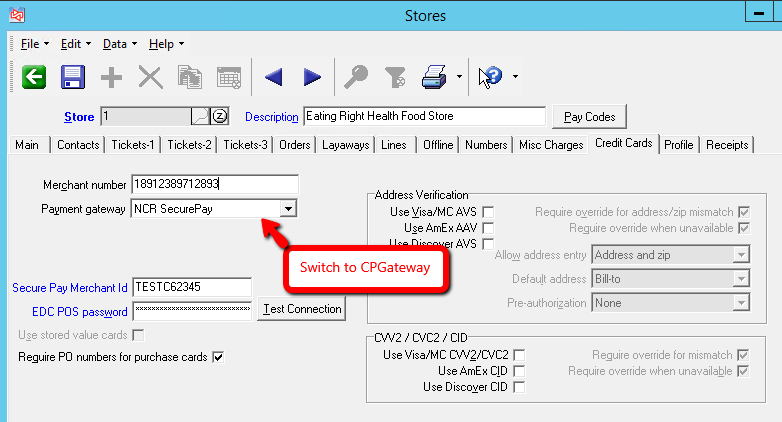
Step 2: Temporarily Change to CPGateway
To save the secure pay token, begin by changing the payment gateway to CPGateway.
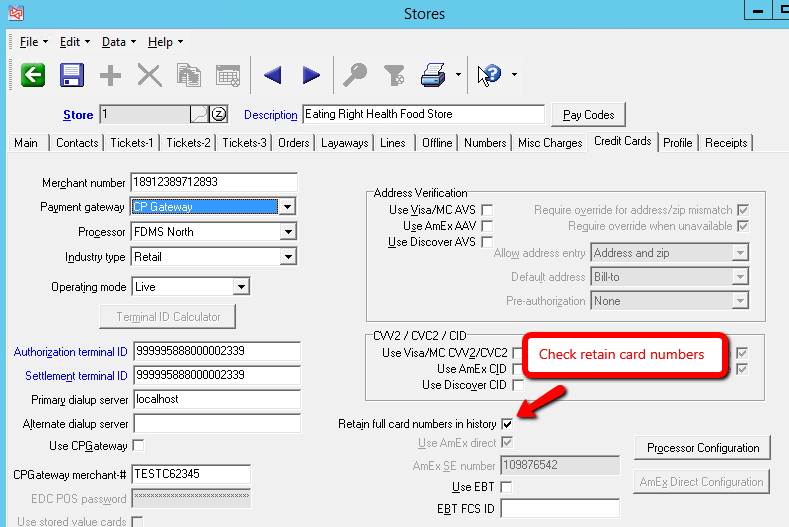
Step 3: Enable Retain full card numbers in history
Enable "Retain full card numbers in history". This setting retains a token referring to the card number. The full card number is never stored online or in Counterpoint.
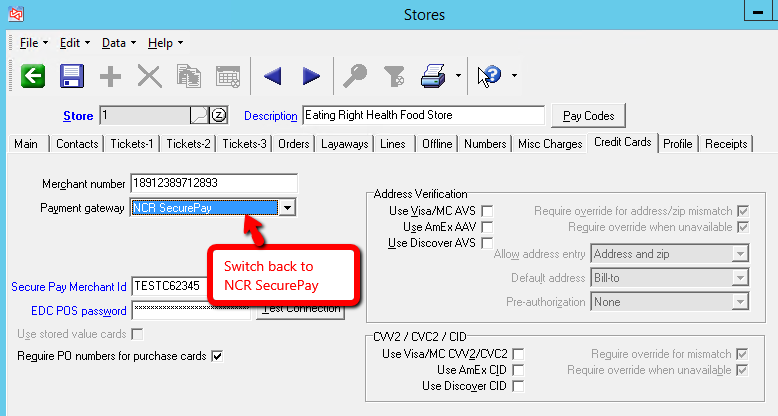
Step 4: Change back to NCR SecurePay
Change the payment gateway back to NCR SecurePay, then save the new configuration.
Step 5: Save the configuration
Use the floppy disk icon to save this configuration